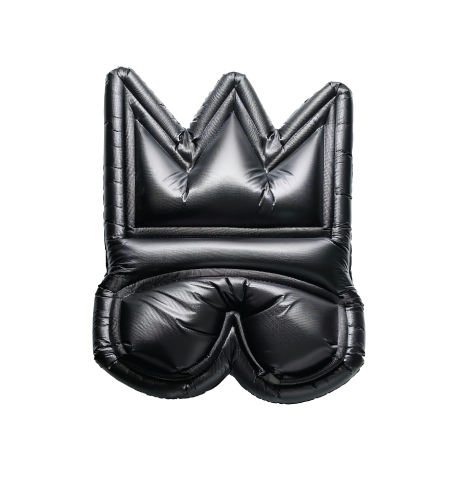


Building a Brand on Your Own with the Assistance of AI

Course Description
This hands‑on micro‑course merges branding fundamentals with the creative power of generative AI. Participants will:
- Curate visual inspiration and articulate their brand in three carefully chosen adjectives.
- Craft a “perfect prompt” that instructs an AI image model to generate multiple, on‑brief logo options.
- Refine the strongest concept into a clean SVG vector using Illustrator (or free alternatives) and apply it to textile surfaces via heat‑transfer vinyl.
By the end, learners leave with a market‑ready logo file, a wearable prototype, and the know‑how to repeat the process for future brand assets.
Learning Outcomes
Participants will be able to:
- Formulate effective AI prompts that specify style, mood, color palette, usage context, file format, and deliverables.
- Translate abstract brand traits into concrete visual direction.
- Evaluate and iteratively refine AI‑generated designs.
- Convert raster outputs to scalable SVG vectors and prep cut‑ready artwork.
- Apply heat‑transfer techniques to create a professional‑looking garment or tote.
Session Breakdown
Session 1 – Inspiration ➜ Prompt Lab (1.5 hrs)
| Time | Activity |
| 0‑10 min | Do Now: |
Write three adjectives that capture your desired brand personality.- Browse and save 3 reference logos you love.
- Photograph or find 3 images/elements you’d like woven into your mark. | | 10‑30 min | Mini‑Lecture: “What Makes an Effective Logo?” + Intro to AI image models. | | 30‑60 min | Prompt‑Engineering Workshop: Using the template (below), craft and iterate on prompts. Generate 6‑10 candidate logos on white, dark, and textured backgrounds. | | 60‑85 min | Group Critique: Select top two concepts; discuss brand alignment, scalability, legibility. | | 85‑90 min | Homework Brief: Export chosen raster logo at highest resolution, ready for vectorization. |
Session 2 – Vector ➜ Textile (1.5 hrs)
| Time | Activity |
| 0‑20 min | Demonstration: Image Trace in Illustrator & vectorizer.ai tips for clean SVG output. |
| 20‑50 min | Student Work Time: Refine paths, adjust color palette, finalise SVG. Export both .svg & transparent‑png. |
| 50‑60 min | Cutting Prep: Scale logo for garment, mirror artwork for HTV, send to Silhouette Cameo. |
| 60‑80 min | Heat‑Press Application: Proper temperature, pressure & peel technique. |
| 80‑90 min | Showcase & Photoshoot: Evaluate finished pieces and reflect on AI‑assisted workflow. |
The Perfect Prompt Template
Task: Create a [style adjective #1], [style adjective #2], [style adjective #3] logo for [brand/business + purpose]. Incorporate: [element 1], [element 2], and [element 3]. Use a three‑color palette of [hex #1], [hex #2], and [hex #3]. Present the design on white, charcoal, and natural‑cotton mock‑ups. Deliver the final file as a clean SVG vector plus 300‑dpi PNG previews.
Example Prompt
Create a modern, playful, eco‑conscious logo for SproutThreads – a children’s sustainable clothing line. Incorporate: a sprouting seedling, a cotton T‑shirt silhouette, a soft circular splash. Use #1E7E34 (forest green), #F4D06F (sunshine yellow), #FFFFFF (white). Show the logo on white, dark‑green, and kraft‑paper backgrounds. Final deliverable: SVG vector + PNG previews.
Resources
- Prompt Reference: [OpenAI Prompt Library – Design]
- Color Palettes: coolors.co • adobe.color
- Vectorization Guide: “Image Trace Tips” – Adobe HelpX
- Mock‑ups: smartmockups.com (free tier)
Badge Certification
Brand Design – AI‑Generated Logo
Requirement: Submit a final SVG logo plus a photo of the completed T‑shirt/tote.
Criteria: Clear alignment to prompt, clean vector paths, accurate color usage, neat heat transfer.
Optional Extensions
- Generate a one‑page Brand Style Guide with ChatGPT (fonts, usage rules, mock‑ups).
- Explore silk‑screen printing for larger production runs.
- Compile a mini‑portfolio showcasing the logo across digital + physical touchpoints.
Course Reviews
No Reviews found for this course.